Vector Icon Bundle: What You Need to Know Before You Buy
Understanding the Basics of Vector Icon Bundles
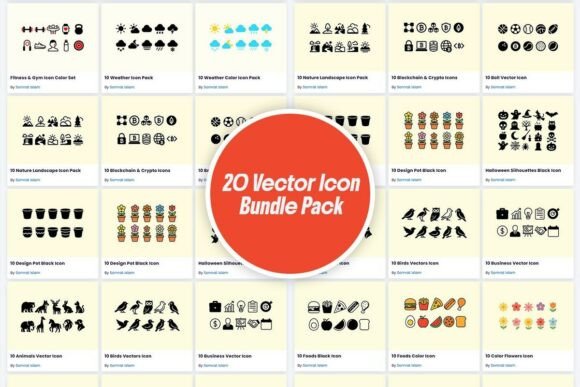
A Vector Icon Bundle is a collection of scalable graphics designed for use across digital and print media. These icons are typically created using vector software like Adobe Illustrator or Inkscape, allowing them to maintain quality at any size. A standard Vector Icon Bundle may include 10 to 20 icons, often themed around categories like nature, technology, or abstract designs. They’re popular among designers, marketers, and small business owners for their flexibility and clean aesthetic.
Common Mistakes When Choosing a Vector Icon Bundle
While Vector Icon Bundles can be a great asset, many buyers make avoidable errors that impact their project’s quality and efficiency. One common mistake is assuming all bundles are created equal. Not every set is designed with the same level of detail, scalability, or color consistency. Another oversight is not checking licensing terms. Some vendors offer bundles for personal use only, which can lead to legal issues if used in commercial projects.
Overlooking File Compatibility
Many users download a Vector Icon Bundle without verifying if the file formats match their software. Most vector icons come in SVG or AI formats, but if you're using a program that only supports PNG or JPEG, you’ll lose the benefits of scalability. Always confirm the file types included and whether they’re compatible with your design tools.
Misjudging Style Consistency
Another frequent issue is mixing icon styles. For example, a Vector Icon Bundle might include both flat and line-style icons, which may not visually align in a single project. This inconsistency can create a cluttered or unprofessional look. To avoid this, choose a bundle that sticks to a single design language—like flat, minimalist, or geometric shapes.
How These Mistakes Impact Your Work
Using incompatible or inconsistent icons can lead to wasted time, extra editing, and a final product that doesn’t meet your expectations. For instance, trying to scale a poorly designed vector icon might result in distorted lines or faded colors. If you’re a small business owner creating marketing materials, this can hurt your brand’s credibility. Similarly, a blogger using mismatched icons on a website may unintentionally make the site appear disorganized.
Practical Tips to Choose and Use Vector Icon Bundles Wisely
Before purchasing a Vector Icon Bundle, take a moment to evaluate the vendor’s reputation. Look for reviews or sample previews to ensure the icons are well-designed and easy to edit. Always read the license agreement—especially if you’re using the icons for a business or client project. If possible, choose bundles that offer multiple file formats, including SVG, EPS, and PNG, to ensure flexibility.
Test Before You Commit
Download a sample or demo version if available. Many platforms offer preview icons that let you test the quality and compatibility before purchasing the full bundle. This simple step can save you from disappointment and unnecessary costs later.
Consider the Long-Term Use
Think about how long you’ll need the icons. Some bundles are available with lifetime licenses, while others may require recurring payments or have usage restrictions. If you're a freelancer or educator, investing in a versatile, royalty-free Vector Icon Bundle can be more cost-effective over time.
What to Look for in a Vector Icon Bundle
When browsing options, check for the following features to ensure you’re getting a high-quality product:
- Scalability: Icons should remain sharp at any size.
- Editability: Layers and paths should be clearly labeled for easy customization.
- Color Options: Look for bundles that include multiple color variations or are easy to recolor.
- Thematic Variety: Whether you need floral icons like daisies or sunflowers or abstract designs, make sure the bundle aligns with your project’s theme.
- Vendor Support: Reputable sellers often provide updates or assistance if you encounter issues with the files.
Real-World Applications and Better Approaches
Let’s say you’re designing a set of digital greeting cards. Using a Vector Icon Bundle with floral designs like tulips or abstract patterns can add a modern touch. However, if the icons aren’t properly aligned in size or style, your cards may look mismatched. Instead of randomly selecting icons, choose a bundle that offers a cohesive visual style and consistent sizing.
Another example: a mobile app developer might use a Vector Icon Bundle for UI elements. If the icons aren’t scalable or lack clarity on different screen sizes, the app’s usability could suffer. The solution? Select a bundle that includes multiple sizes and has been tested for responsiveness across devices.
Final Thoughts: Make an Informed Choice
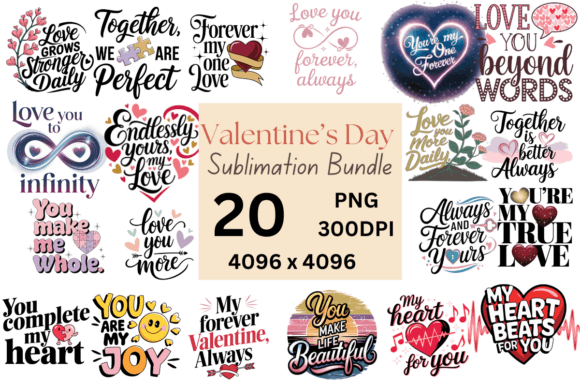
A Vector Icon Bundle can be a valuable tool for designers and creators across industries. Whether you’re working on a personal blog, a professional presentation, or a commercial product, the right icons can enhance your visual communication. However, it’s essential to approach your purchase thoughtfully. Avoid common pitfalls by verifying compatibility, style consistency, and licensing terms. With a bit of research and planning, you can find a bundle that offers both quality and versatility—like a 20-icon set for just $11 that saves you 89% off the regular price—without compromising your project’s integrity.
Remember, the goal is not just to find a Vector Icon Bundle, but to find the right one that supports your creative goals and technical needs. Take your time, compare options, and always prioritize quality over quantity.